
 Yum: Recipes & Meal Planner
A free recipe app for tonight's dinner.
Dinner tonight, without the guesswork. Yum finds a dish you can cook tonight, walks you through it step by step, and logs what you ate.

Free · No account needed
Find
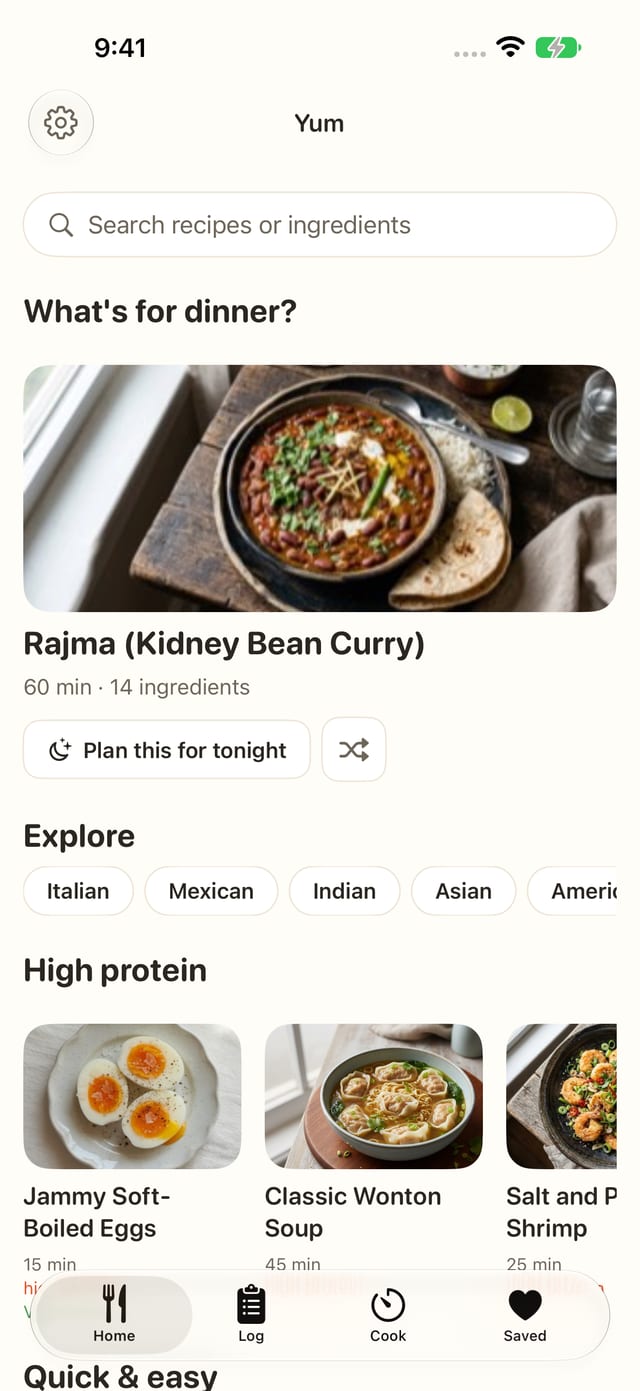
500+ recipes, each with a photo
Yum opens on dishes, starting with a pick for tonight. The pick has a Plan this for tonight button, a one-tap plan for dinner. An account is optional.
- Rows of quick and easy dishes, vegetarian dishes and more.
- Every recipe shows its cook time, and calories, protein, carbs and fat per serving.
- Set your diet once (vegetarian, vegan, gluten-free, dairy-free or nut-free) and recipes that don't fit are hidden.


Search
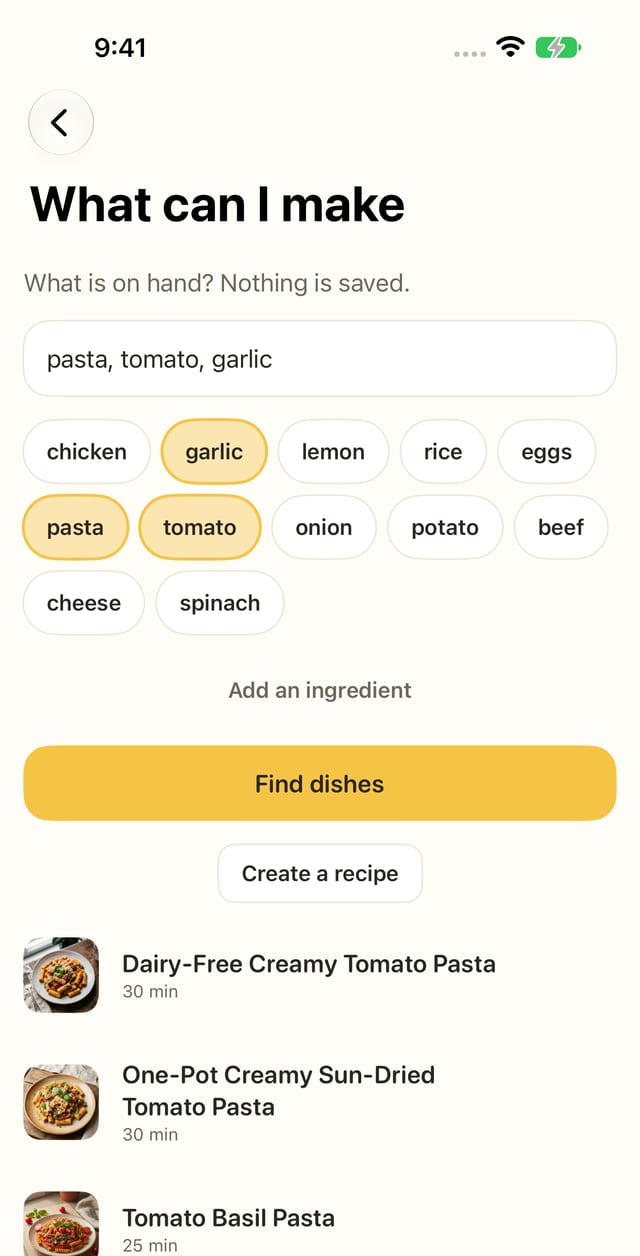
Search recipes by the ingredients you have
Not sure what to cook with what's in the fridge? Type what you have, or tap a common ingredient, and Yum shows dishes that use it.
- Search by ingredient or by recipe name.
- Popular ingredients are one tap away.
- Every result opens a full recipe, ready to cook.
Recipe
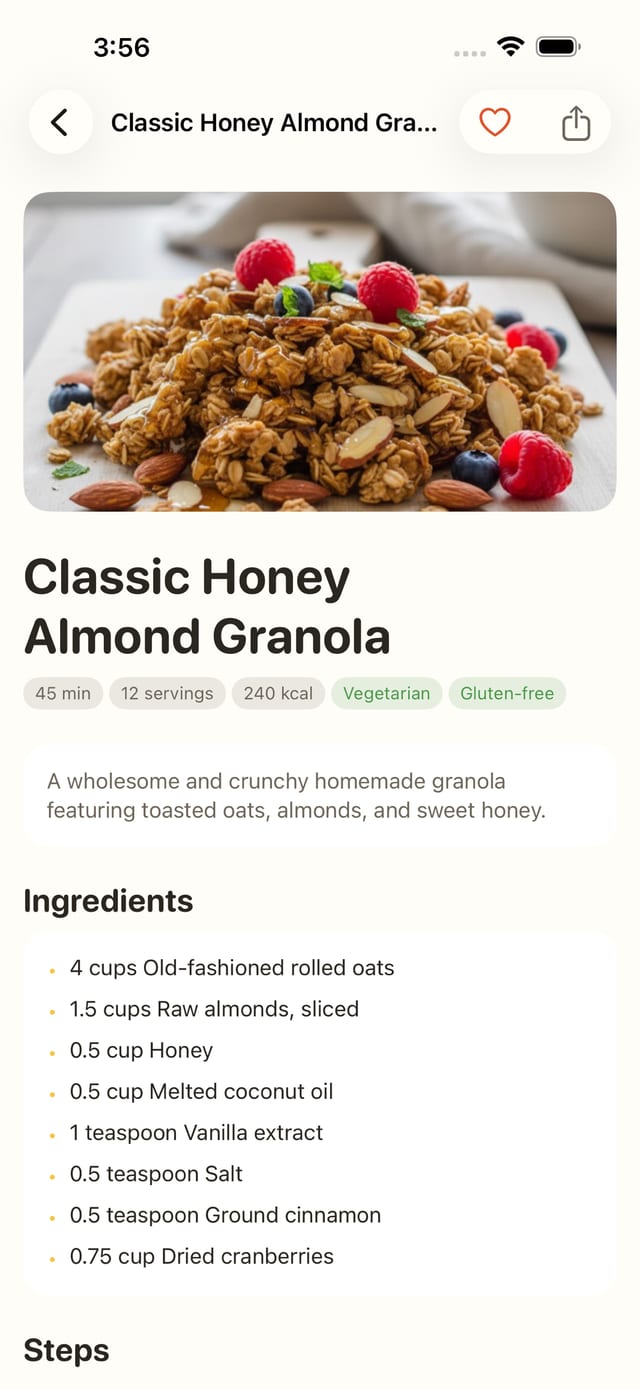
Cook time and macros per serving on every recipe
Each recipe shows how long it takes, how many servings it makes, and calories per serving, with tags like Vegetarian and Gluten-free.
- Protein, carbs and fat per serving, too.
- Ingredients with amounts, then the steps.
- Open it in Cook mode when you start.
Cook
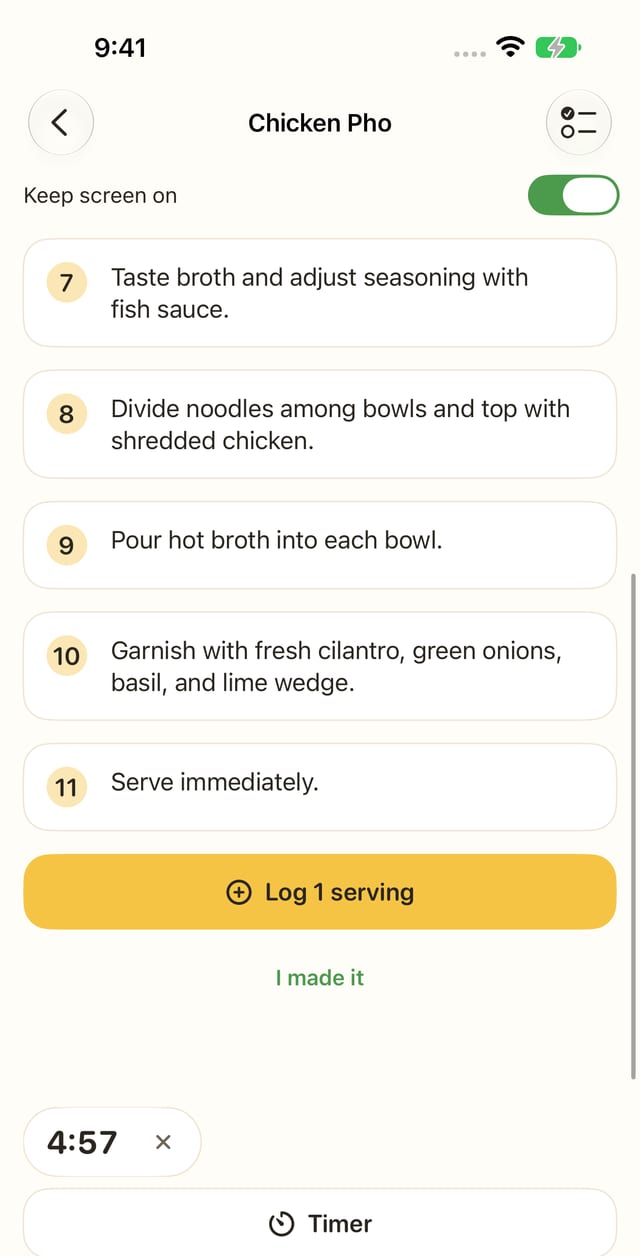
Cook mode: step by step, with timers
Open a recipe in Cook and follow it one step at a time, with the ingredients a tap away.
- Start a timer from the step you are on, and an alarm tells you when it is done.
- Running timers show on the Lock Screen.
- Keep the screen on while you cook.
Log
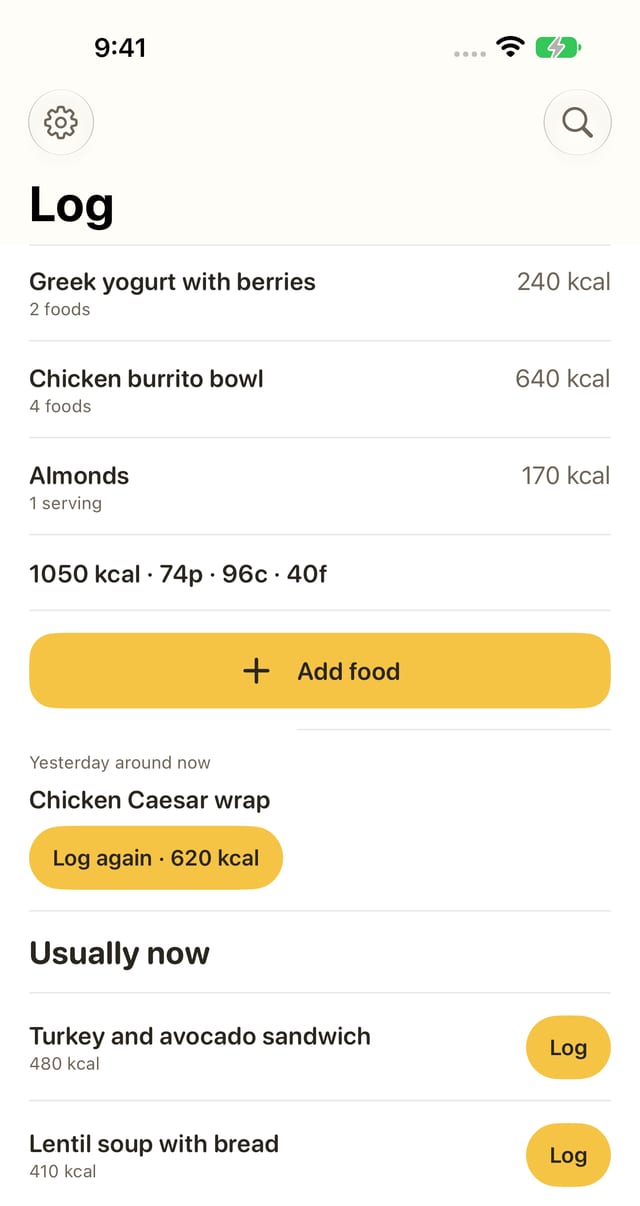
Log what you ate in one tap
Tap “I ate this” on a recipe, or log a serving when you finish cooking.
- The Log tab lists today's meals and adds up calories, protein, carbs and fat.
- Add a food that isn't a recipe, and adjust the amount.
- Not tracking? Hide the Log tab in Settings.
Repeat
Your usual meals, one tap away
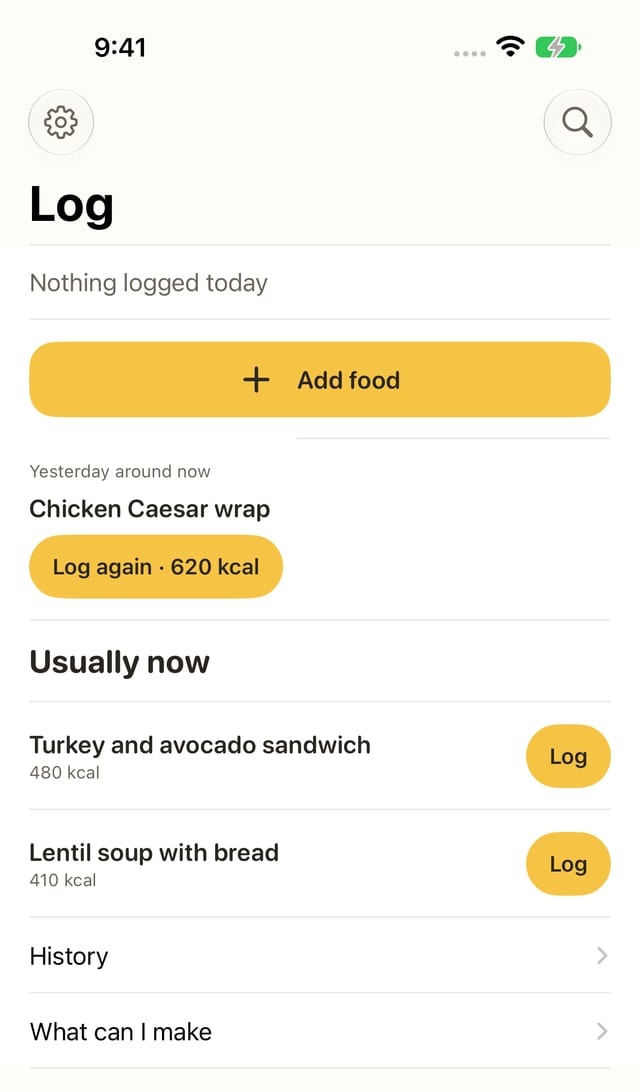
Meals you eat again become usuals. The Log tab offers them at the time you usually eat them, ready to log in one tap.
- Yesterday's meal from around this time shows up as a Log again button.
- Your usual meals for this time of day sit under Usually now, each with a Log button.
Yum questions
Is Yum free?
Yes. Yum is free on the App Store. Browsing and searching recipes, Cook mode and logging what you ate are free.
Can I find recipes with the ingredients I have?
Yes. Type what you have, like chicken, rice or broccoli, or tap a common ingredient, and Yum shows dishes from its recipe library that use them.
Does Yum show calories and macros?
Yes. Every recipe shows calories, protein, carbs and fat per serving, and the Log tab adds up what you ate today.
Can I filter recipes by diet?
Yes. In Settings, choose vegetarian, vegan, gluten-free, dairy-free or nut-free. Recipes that don't match are hidden.
Do I need an account?
No. Yum opens on dishes, and an account is optional.
Does Cook mode have timers?
Yes. Start a timer from the step you are on, and an alarm tells you when it is done. Running timers show on the Lock Screen, and Yum can keep the screen on while you cook.
Who makes Yum?
Yum is made by nimbusdev with Nathaniel Ross, which is why the App Store lists Nathaniel Ross as the seller.
Which iPhones can run Yum?
Yum needs iOS 16 or later.

Find tonight's dinner.
Open Yum and pick a dish you can cook tonight.
Free
The screenshots on this page show sample data.
Made by nimbusdev with Nathaniel Ross.
Also from nimbusdev: IronTrend, a free weight trend tracker and lift log
Questions, bugs or feature requests: [email protected]