
 IronTrend: Weight & Lift Log
See your weight trend, not the daily noise.
The scale jumps around. Your trend doesn't. IronTrend turns daily weigh-ins into one clear trend, runs your lifting program and counts your macros, all in one app.

Free · No ads · Works offline · Sign-in optional
Weigh
A daily weigh-in app that shows the trend
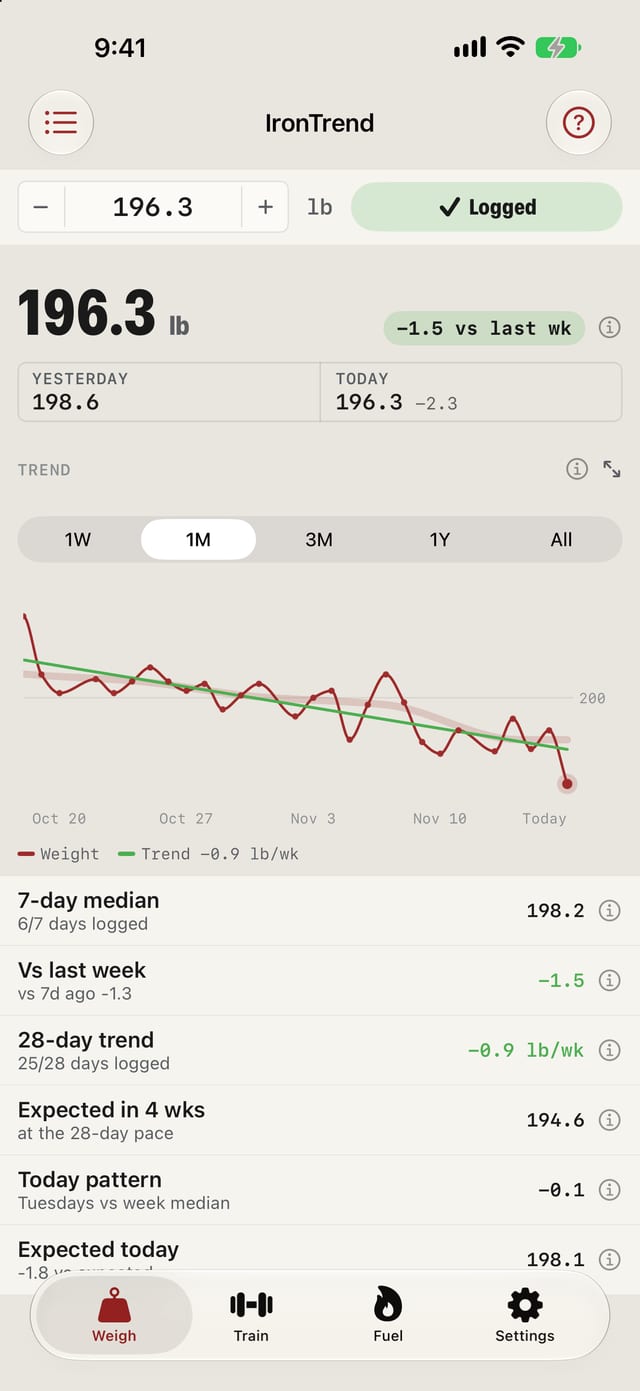
Log your morning weight in a tap, or let Apple Health and Withings bring it in. IronTrend smooths the daily noise into a trend line and tells you what it means.
- Your 7-day median and the change versus last week.
- Your 28-day pace, and where that pace puts you in four weeks.
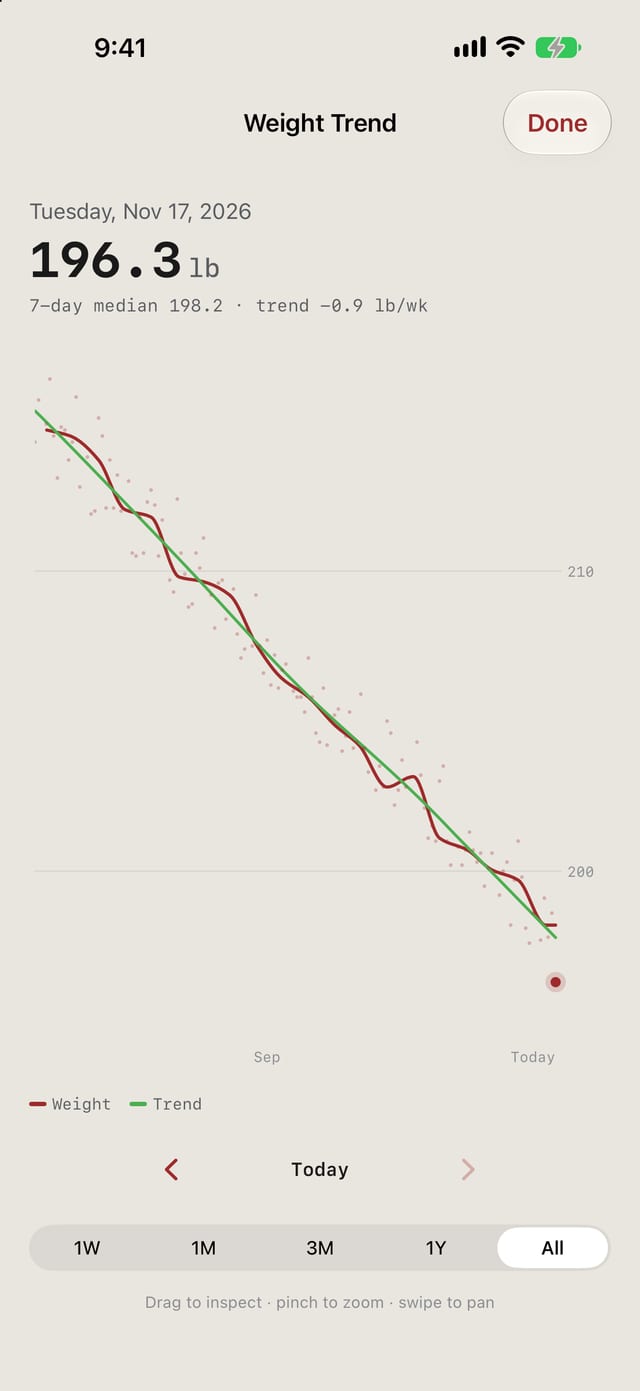
- A full chart you can drag, pinch and pan through months of weigh-ins.
The numbers
How the weight trend works
Your scale weight moves every day with water, salt and what you ate last night. IronTrend reads through that noise three ways.
- Median, not mean.Your 7-day median is the middle of your last seven days of weigh-ins, so one high or low morning barely moves it.
- The last seven days, not the calendar week.This week and the change versus last week use a trailing 7-day window, so the numbers are current every morning.
- Your day-of-week pattern.Some people weigh more on some weekdays. IronTrend compares each weigh-in with the median of its week (weeks start Monday) and learns your pattern. Once it has enough recent history, about eight weeks with at least three weigh-ins on that weekday, it shows today's pattern and what you'd expect to weigh today.
For a cut, a bulk or maintenance
IronTrend is made for lifters who weigh in most mornings and want to know whether the plan is working.
On a cut
The 28-day pace shows whether you are losing as fast as you planned. A high morning after a salty dinner is one dot above the line, not a setback.
On a bulk
Watch the weekly change and the 28-day pace stay small and steady, while every set shows the weight to beat from last week.
At maintenance
See slow drift in the trend weeks before it shows up as a new number on the scale.
Train
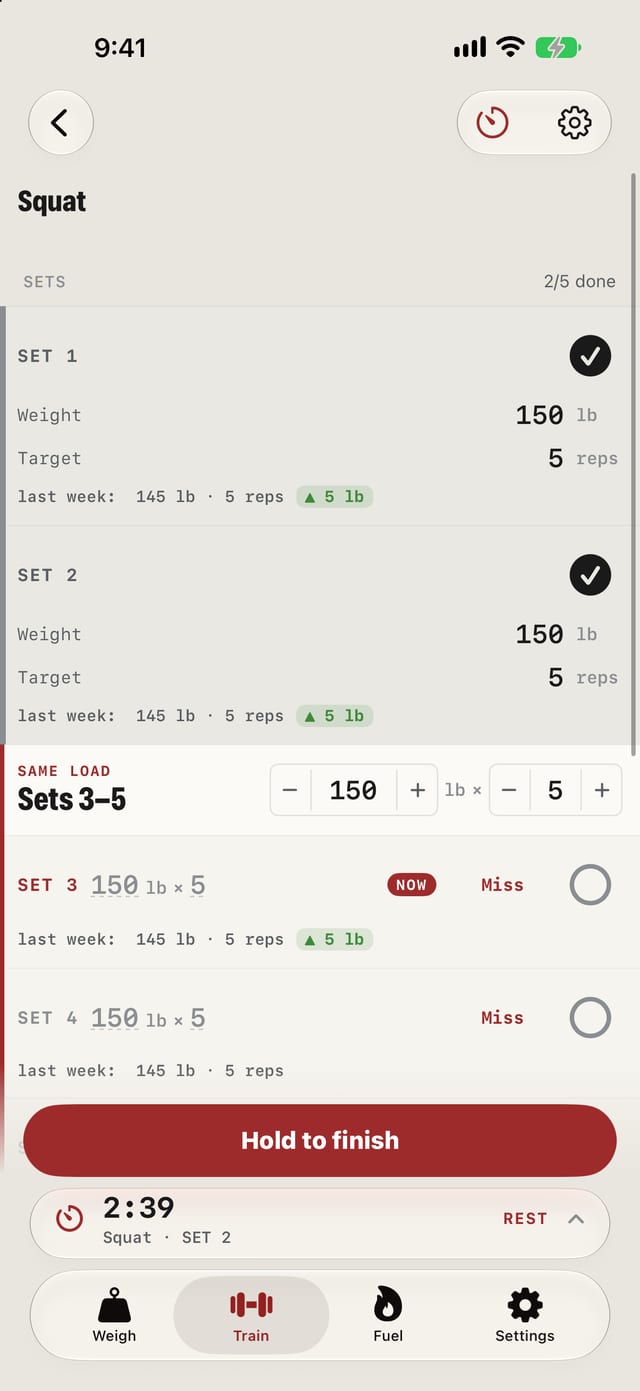
A workout log for StrongLifts 5×5, Madcow 5×5 and 5/3/1
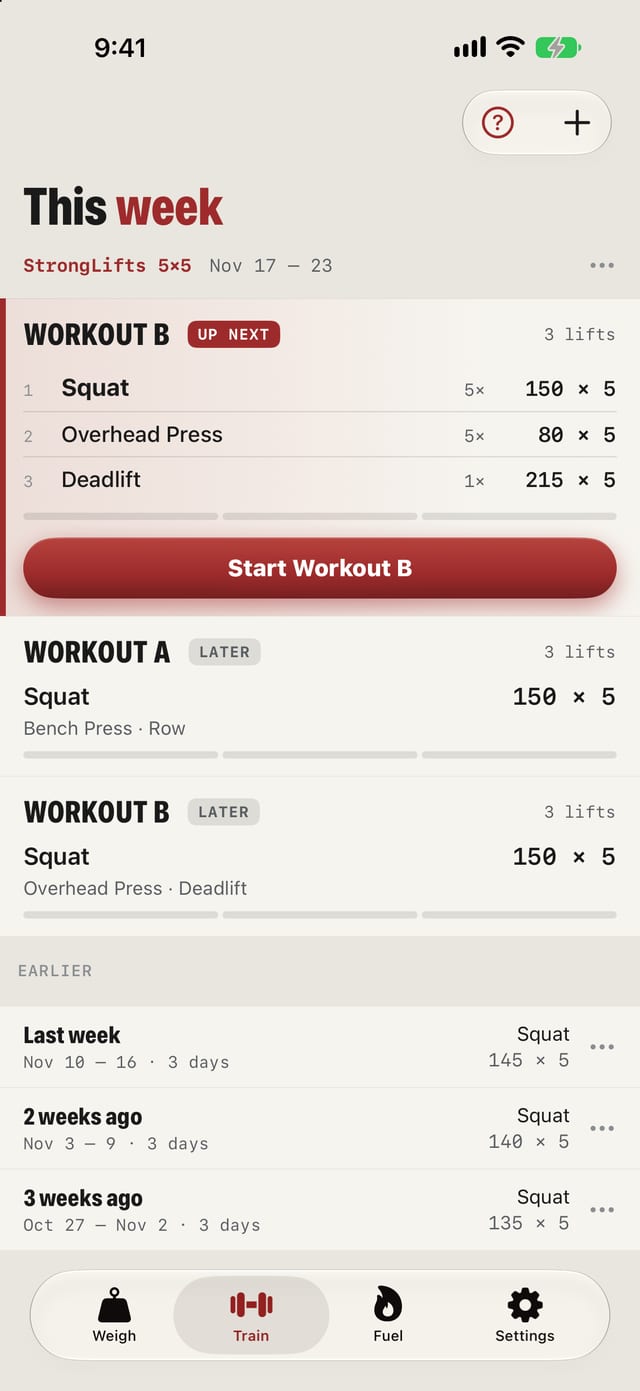
Pick a program and IronTrend does the progression math, or build your own week.
- Each set shows what you lifted last week, so you know what to beat.
- Missed reps? Tap Miss on the set, and next week adjusts.
- A rest timer runs on the Lock Screen and in the Dynamic Island.
Fuel
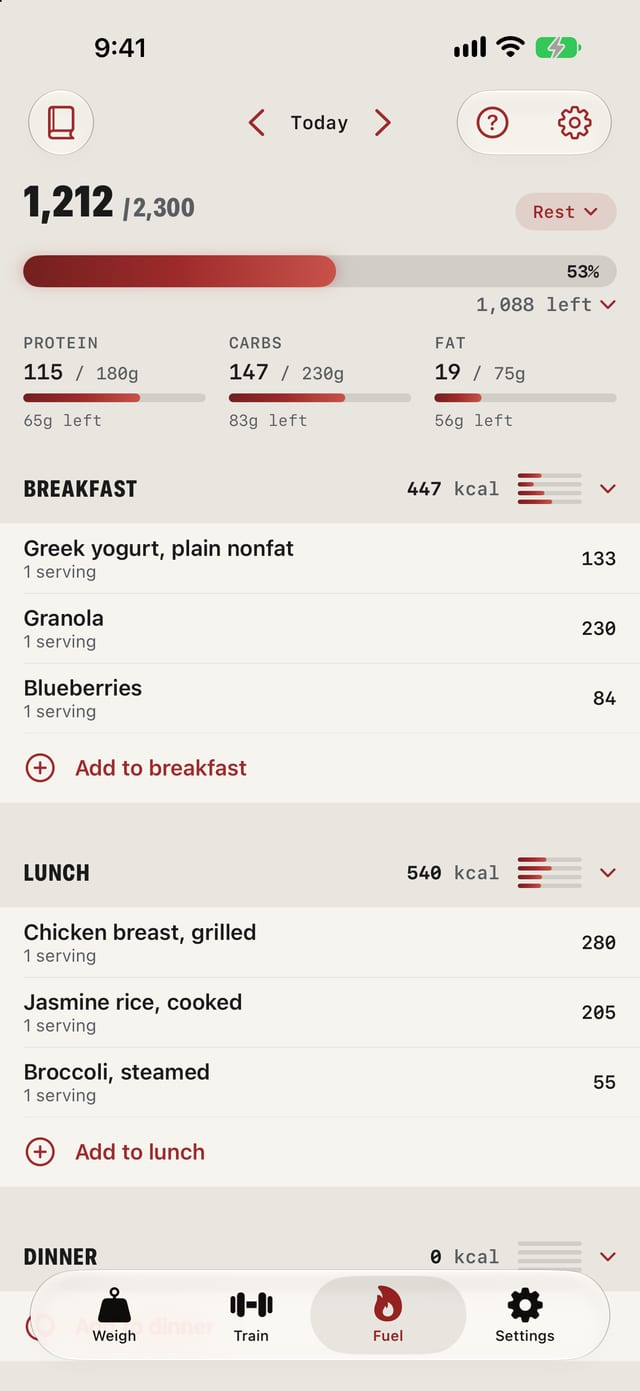
A calorie and macro tracker for training and rest days
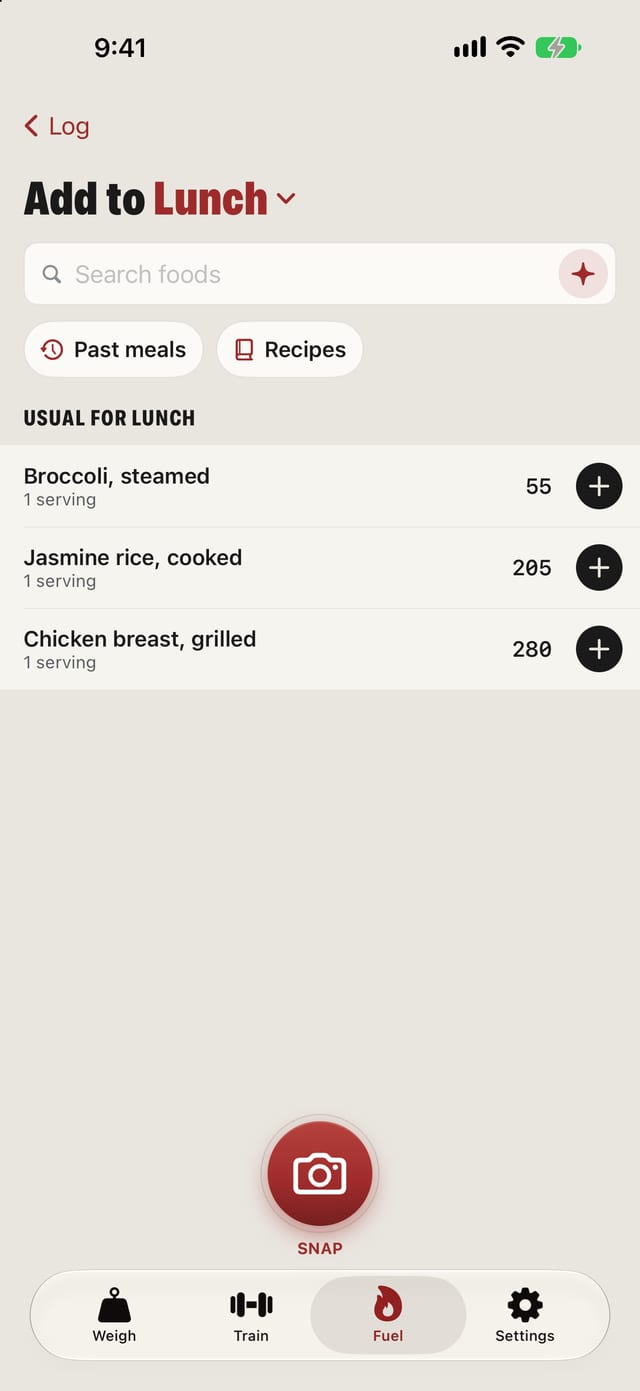
Log meals by search, barcode, or a photo of the package.
- Set calorie and macro goals, with different ones for training and rest days if you like.
- Re-add a past meal in one tap.
- Save a meal you eat often as a recipe.
IronTrend questions
Is IronTrend free?
Yes. IronTrend is free on the App Store, with no ads. The weight trend, the lifting programs and calorie and macro tracking are all in the free app.
Does IronTrend work offline?
Yes. Your log stays on your phone and works without a connection. Sign-in is optional: sign in only if you want sync and backup across devices.
Does IronTrend sync with Apple Health and Withings?
Yes. Your weigh-ins can come in from Apple Health or Withings, so a smart scale logs your morning weight for you. You can also type it in with one tap.
Which lifting programs does IronTrend support?
StrongLifts 5×5, Madcow 5×5 and 5/3/1, with the progression worked out for you. You can also build your own week.
Why does my weight go up and down every day?
Day-to-day changes are mostly water, salt and food that has not passed yet, not fat. That is why IronTrend leads with your 7-day median and your 28-day pace: one heavy morning barely moves either.
What is the 7-day median?
It is the middle value of your weigh-ins from the last seven days, not their mean, so one high or low morning barely moves it. This week and the change versus last week use those last seven days, not the calendar week.
Can I set different calories for training and rest days?
Yes. Set calorie and macro goals, with different ones for training days and rest days if you like.
Which iPhones can run IronTrend?
IronTrend needs iOS 26 or later.

Weigh in tomorrow morning.
Your log stays on your phone. Sign in only if you want sync and backup across devices.
Free · No ads · Works offline
The screenshots on this page show sample data.
Also from nimbusdev: Yum, a free recipe app with macros on every recipe
Questions, bugs or feature requests: [email protected]